Welcome Dialog
Exemplary welcome dialog from FancyDialogs
The welcome dialog feature allows you to greet new players when they join your server for the first time. This is a great way to introduce players to your server, share important information, and make a positive first impression.
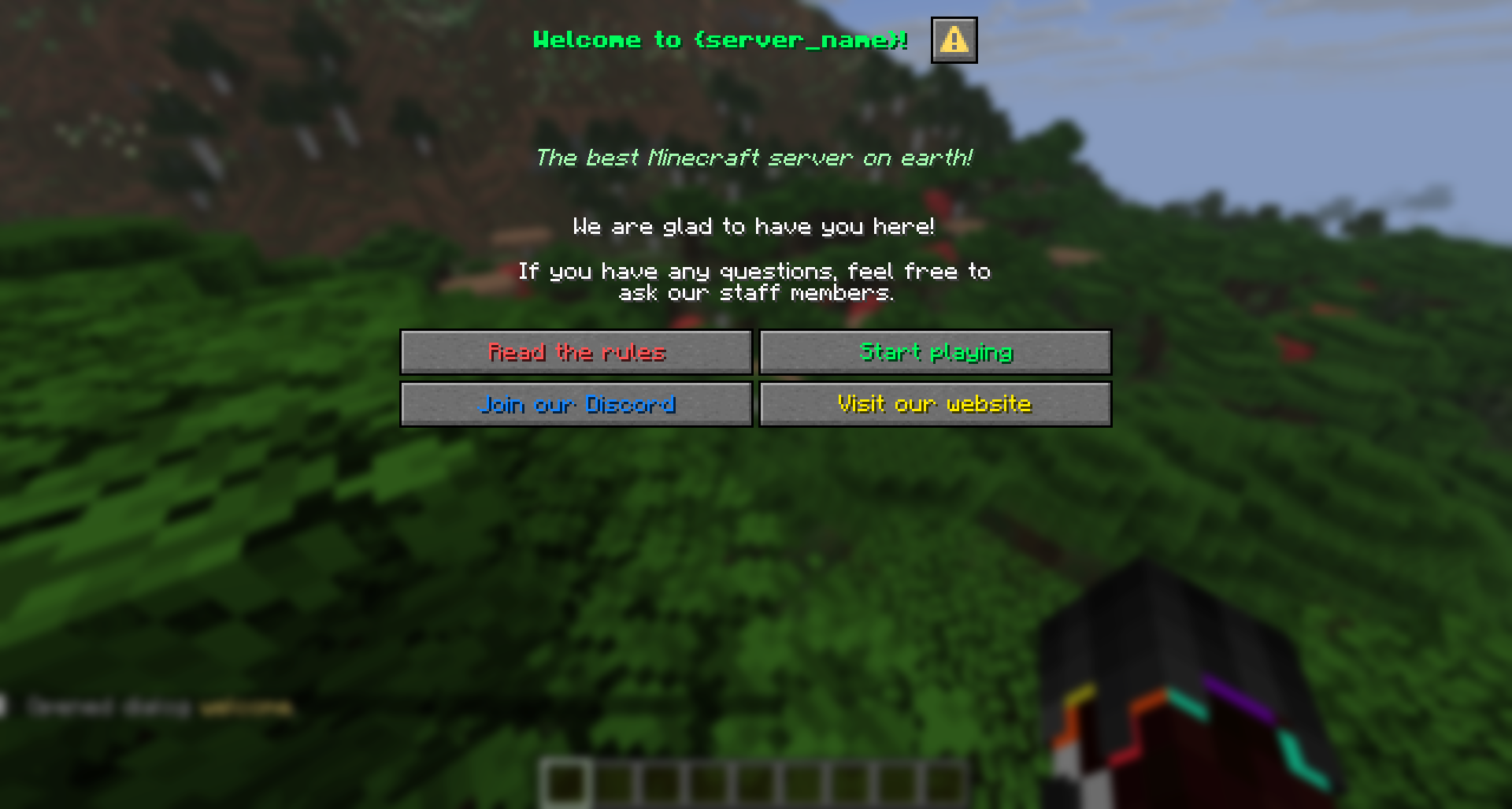
Default Welcome Dialog
FancyDialogs comes with a pre-configured welcome dialog that you can use immediately or customize to match your server's style. The default dialog includes:
- A welcoming message
- Server information
- Links to rules or guides
- Quick action buttons
You can find the default welcome dialog at:
plugins/FancyDialogs/data/dialogs/welcome.jsonFeel free to edit this file directly to customize the welcome message, colors, buttons, and content.
Customizing the Welcome Dialog
Here's an example of a customized welcome dialog:
{
  "id": "welcome",
  "title": "<gradient:#ff7300:#ffaa00>Welcome to Our Server!</gradient>",
  "canCloseWithEscape": false,
  "body": [
    { "text": "<color:#ffaa00>Hello <color:#ff7300>%player_name%</color>!</color>" },
    { "text": "" },
    { "text": "Welcome to our amazing Minecraft server!" },
    { "text": "We're excited to have you here." },
    { "text": "" },
    { "text": "<color:#aaaaaa>Before you start, please review our rules.</color>" }
  ],
  "buttons": [
    {
      "label": "View Rules",
      "tooltip": "Read the server rules",
      "actions": [
        {
          "name": "open_dialog",
          "data": "server_rules"
        }
      ]
    },
    {
      "label": "Get Started",
      "tooltip": "Close this dialog and start playing",
      "actions": [
        {
          "name": "message",
          "data": "<color:#00ff00>Have fun playing!</color>"
        }
      ]
    }
  ]
}
Configuration Options
Changing the Welcome Dialog
If you've created a custom dialog and want to use it as your welcome dialog, update the plugins/FancyDialogs/config.yml file:
welcome_dialog_id: "my_custom_welcome"Make sure your custom dialog file exists in the plugins/FancyDialogs/data/dialogs/ folder with the matching ID.
Disabling the Welcome Dialog
If you don't want to show a welcome dialog on your server, you can disable this feature in plugins/FancyDialogs/featureFlags.yml:
disable-welcome-dialog: trueAfter changing this setting, restart your server or use /fancydialogs reload to apply the changes.
Example: Multi-Step Welcome Flow
You can create a multi-step welcome experience by chaining dialogs together:
{
  "id": "welcome",
  "title": "Welcome - Step 1",
  "body": [
    { "text": "Welcome! Let's get you started." }
  ],
  "buttons": [
    {
      "label": "Next",
      "actions": [
        { "name": "open_dialog", "data": "welcome_rules" }
      ]
    }
  ]
}
This creates an interactive onboarding experience where players progress through multiple dialogs.
The welcome dialog is only shown to players on their first join. If you want to test changes, you can manually open it with /dialog open <player> welcome